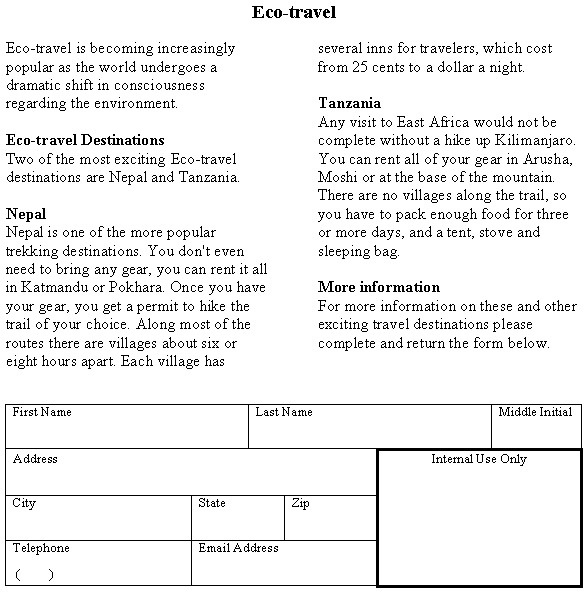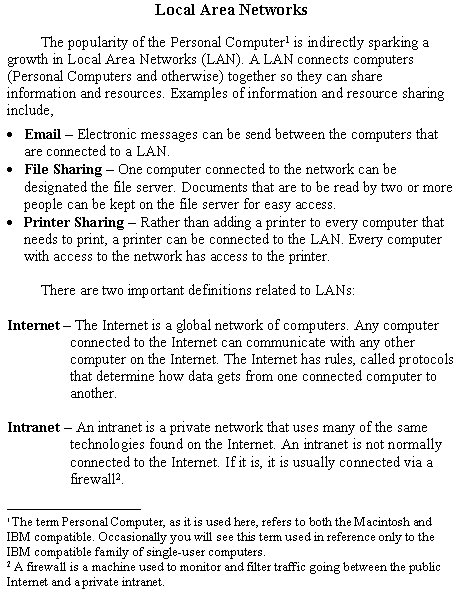
1. Create the document as shown in Figure 1 below. Your document doesn't have to look exactly like the image below, but it should have the following format characteristics,
- The title should be Times New Roman 16 points. The body of the document should be Times New Roman 14 points. The footnotes are 12 points.
- The paragraphs before and after the bulleted list have a first-line indent of .5".
- The two definitions at the bottom (Internet and Intranet) use a hanging indent to offset the rest of the definition.
- You should use the bold character style were appropriate.
Figure 1.
2. Create the document as shown in Figure 2 below (Or, for extra credit create this document. The extra credit document requires you to use the erase and line width features of the draw table tool palette). Your document doesn't have to look exactly like the image below, but it should have the following format characteristics,
- The body of the document should be formatted as two columns. (Hint, one way to achieve a balance between both columns is to type the paragraphs first, select all paragraphs, and format the selection as two columns.)
- The rows in the table at the bottom should be evenly distributed. (Hint, use Table/Draw Table to draw the table, and then Table/Distribute Rows Evenly.).
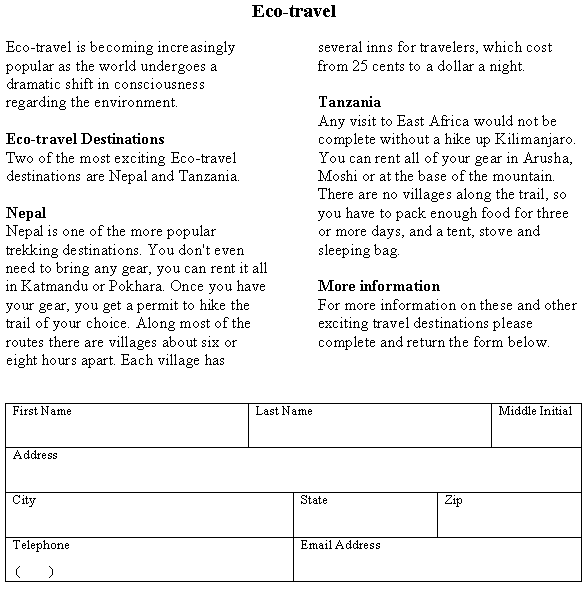
Figure 2.