Integration Assignment
1. Create the document as shown in Figure 1 below. Your document doesn't have to look
exactly like the image below, but you should include the following steps,
- Insert a clipart image in the upper right-hand side. (Hint, if you have problems getting
the image to stay to the right of the title, click here for a
solution.)
- Use the drawing tools to insert an artist's sketch of the proposed renovation plans.
(Hint, "Old Building" and "New Building" are Text Box objects with no
outline or border.)
- Use Excel to create a spreadsheet that calculates the Annual Payment. Your spreadsheet
should have two columns like the numbers at the bottom of figure 1. Copy the cells of the
spreadsheet to your word document. Use Paste Special to paste the contents of the cells
into your document. Experiment with the different options for pasting the cells into your
document. What are the differences between:
- Paste: Excel Worksheet Object
- Paste Link: Excel Worksheet Object
- Formatted Text (RTF)
- Use a font style of Arial.
Questions and answers from the email
archives.
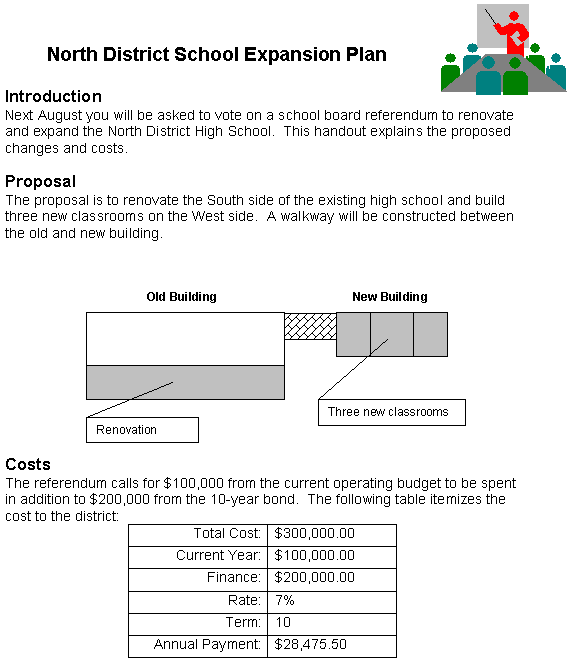
Figure 1.